Follow this tutorial to get unique promo codes from Voucherify and send them to your customers via Salesforce Marketing Cloud.
API call limits and throttlingWhen scheduling distributions with Voucherify via Salesforce Marketing Cloud, keep your API call limits in mind. Salesforce supports Send Throttle to control the number of messages delivered to your customers in a particular time frame. Note that exceeding your API calls limit blocks your access to Voucherify API and may break the distribution.It’s recommended to set up the limit to 500 per minute to ensure a seamless workflow between Voucherify and Salesforce Marketing Cloud.
The integration between Salesforce Marketing Cloud and Voucherify allows you to request unique codes from Voucherify campaigns and pass them to your customers via Salesforce Marketing Cloud send-outs. This integration requires you to call Voucherify API using the Salesforce AMPscript.Using Salesforce AMPscripts and Dynamic Content, we’re going to add Voucherify unique codes to Salesforce Marketing Cloud’s send-outs. You can use Voucherify campaigns with unique discount coupons, gift cards, loyalty cards, and referral codes.Go to your Salesforce Marketing Cloud account and prepare a new send-out script.To get a unique code for a specific customer, you need to do the following:
Add the HTTP Post function to communicate with Voucherify. This function will use one of the Voucherify methods to get a unique code.
When calling the Create Publication method in Voucherify API, you need to define which customer should be assigned to a particular coupon code. Here is a code snippet with an example AMPscript configuration.
If you don’t know what your API endpoint is, you can check it in the Project settings > General > API endpoint.The table below shows an example list of regions and associated endpoints.
Shared Region
Endpoint for Salesforce Marketing Cloud
Europe (default)
https://api.voucherify.io/v1/publications
United States
https://us1.api.voucherify.io/v1/publications
Asia (Singapore)
https://as1.api.voucherify.io/v1/publications
Copy your API keys from the Project Settings > Application Keys.
Replace the campaign_id_value variable with your Voucherify campaign identifier.You can find the campaign id in the URL while displaying campaign details in the dashboard. This campaign will be the source of codes for your send-out.
You must include the customer’s ID in the publication’s payload to send unique codes to each customer.To send the customer’s ID, you need to map the _subscriberkey (or any other attribute that you use to identify the customers in Salesforce) to Voucherify’s customer.Your AMPscript should be as follows:
/* Get customer data from SalesForce Marketing Cloud */ SET @salesforce_customer_id = _subscriberkey
Salesforce will use the prepared data to send a request to Voucherify. Voucherify will verify if a voucher can be issued and will return it to the AMPscript.
Verify if the request was successful. If you do not receive a voucher, you can prevent the send-out.Voucherify may not return a successful response if you have a static campaign. For a static campaign, Voucherify does not generate new codes once all of the codes in the current batch are assigned to customers. You can change your campaign settings using the Auto-increase voucher count feature in the Campaign Manager to ensure that the number of codes initially created does not run out. This way Voucherify will add a new batch of codes once you have assigned all of the coupons in the campaign to other customers.Finally, you need to add the following code snippet to the body in order to display the published voucher code.In the Code Snippet Block:
script runat="server"> Platform.Load('Core','1'); var resp = Variable.GetValue("@response"); var json = Platform.Function.ParseJSON(resp); Variable.SetValue("@code",json.voucher.code)</script>
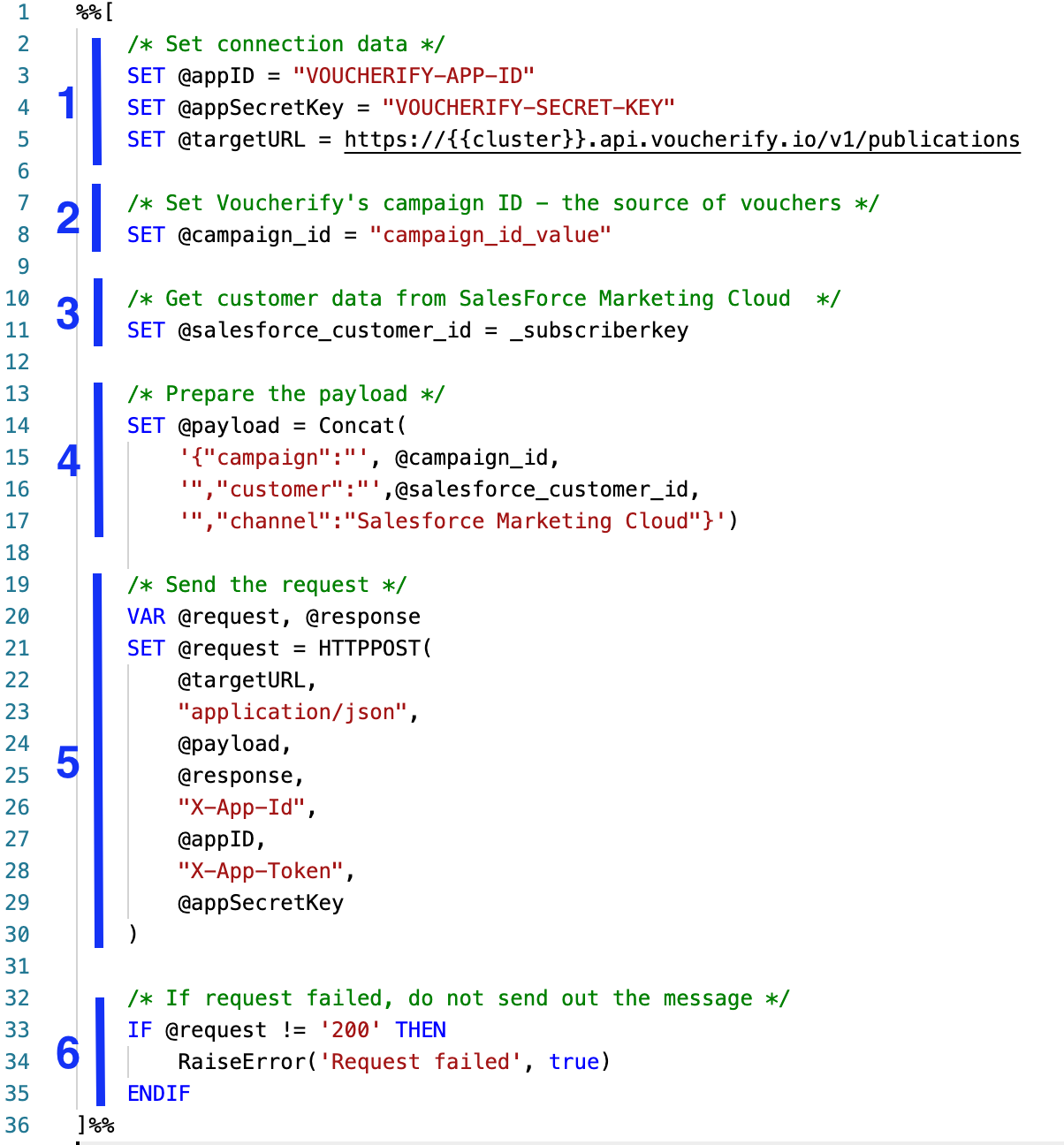
The above example workflow shows you how to configure the AMPscript to get unique promo codes from Voucherify. You can find an example code block below. Insert the code to a Code Snippet Block.
%%[ /* Set connection data */ SET @appID = "VOUCHERIFY-APP-ID" SET @appSecretKey = "VOUCHERIFY-SECRET-KEY" SET @targetURL = https://{{region}}.api.voucherify.io/v1/publications /* Set Voucherify's campaign ID - the source of vouchers */ SET @campaign_id = "campaign_id_value" /* Get customer data from SalesForce Marketing Cloud */ SET @salesforce_customer_id = _subscriberkey /* Prepare the payload */ SET @payload = Concat( '{"campaign":"', @campaign_id, '","customer":"',@salesforce_customer_id, '","channel":"Salesforce Marketing Cloud"}') /* Send the request */ VAR @request, @response SET @request = HTTPPOST( @targetURL, "application/json", @payload, @response, "X-App-Id", @appID, "X-App-Token", @appSecretKey ) /* If request failed, do not send out the message */ IF @request != '200' THEN RaiseError('Request failed', true) ENDIF]%%<script runat="server"> Platform.Load('Core','1'); var resp = Variable.GetValue("@response"); var json = Platform.Function.ParseJSON(resp); Variable.SetValue("@code",json.voucher.code)</script>
If you want to introduce the voucher code returned by the script, insert the following code into the Content Block:
%%=v(@code)=%%
Last modified on July 16, 2026
Assistant
Responses are generated using AI and may contain mistakes.